giffgaff
- 4.3
- Rating
- 5.00M
- Installs
- Free
- Price

 Analysis by App-foxy
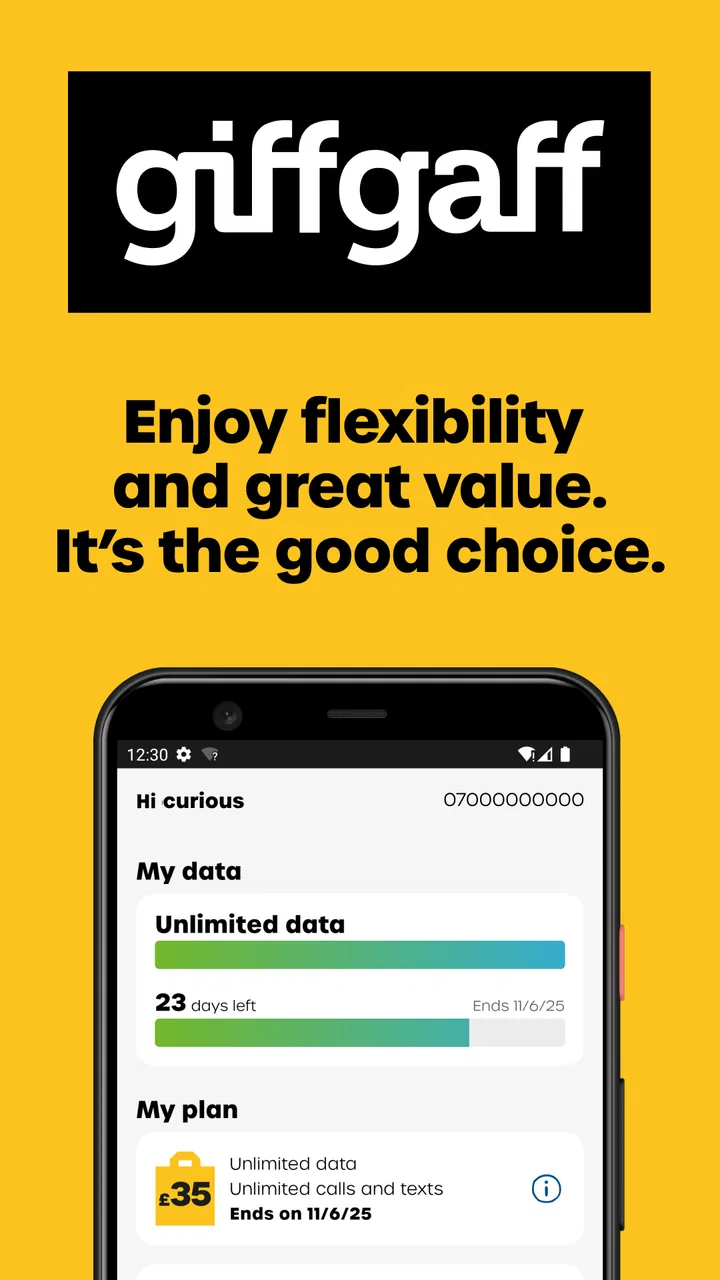
Managing a mobile account is rarely exciting, but it becomes important the moment you need to check your data, understand your allowance, or deal with a change while away from a computer. That is where giffgaff makes its case. This free communication app from giffgaff Limited is built around quick account management rather than entertainment, and in my experience its main appeal is how little effort it asks for during ordinary mobile use.
I approached it as the companion to a giffgaff account, not as a replacement for every communication tool on my phone. That distinction matters. It does not try to become a general messaging platform or a full personal-finance dashboard. Its job is narrower: give giffgaff customers a convenient way to stay aware of their mobile service and data use while moving through the day. When it works well, it removes a small but recurring annoyance.
What makes the first week useful
The first few days with the app are mainly about getting a clear view of the account you already use. Instead of opening a browser, finding the right page, and signing in through a less convenient mobile layout, I can use the dedicated app when I want to check what is happening with my service. That is a modest improvement, but it is exactly the kind that can become valuable through repetition.
You May Also Like

 Blood Strike: 2.5 Anniversary
Blood Strike’s Loadouts Turn Every Drop Into a Tactical Gamble
A close look at Blood Strike’s custom loadouts: how fast access to signature weapons reshapes its battle royale rhythm, rewards preparation, and narrows the gap between fights.

 Pandora - Music & Podcasts
Pandora’s Music Is Easy to Start, but Harder to Recover
Pandora’s strength is its low-effort path from a seed to a station. Its weak spot is how much confidence it asks you to place in connection, setup, and quiet recovery.

 8 Ball Pool
 Is Built on Rivalries, Rematches, and Routine
A close look at the rivalries, rematches, shared routines, and unanswered safety questions that turn a quick pool match into a persistent mobile community.

 Samsung Music
’s Quiet Strength Is Playing What You Already Own
Its reach comes less from spectacle than from dependable access to a personal library. That simplicity is both the app’s strongest retention engine and its ceiling.

 AccuWeather: Weather Radar
AccuWeather Review: A Quick, Clear Forecast for Everyday Decisions
For everyday plans, the best forecast is the one you can understand quickly. AccuWeather makes rain timing, radar, and local conditions easy to act on, with a few trade-offs.

 Hill Climb Racing
Why Hill Climb Racing Still Turns Crashes Into One More Run
A tiny car, a bumpy hill and one more upgrade: Hill Climb Racing keeps resurfacing because its simple chaos makes every near-miss feel personal.
More From Our News Desk



The most practical early habit is checking data before it becomes an emergency. I find this particularly useful when I have been travelling around town, watching more video than usual, or relying on mobile data because Wi-Fi is unavailable. A quick glance can answer the question I actually have: am I using my phone normally, or should I change my behaviour for the rest of the period?
That makes the app more useful than a generic usage estimate hidden inside the phone’s settings. The phone’s own counter can help me understand device activity, but the account app is closer to the service itself. Those two views do not serve exactly the same purpose. One describes what the handset believes it has used; the other is the more relevant place to manage the relationship with the mobile provider.
There is also a psychological benefit to having account information in a dedicated space. I do not need to remember which browser tab I used last time or search through an email for an account route. The app gives the task a clear home. For someone who checks their allowance regularly, that small reduction in friction is more meaningful than a long list of rarely used options.
My advice during the first week is not to open it repeatedly without a reason. Instead, use it at the moments when account awareness matters: before a long journey, after a data-heavy weekend, or when deciding whether to keep using mobile data for a particular task. That turns it from an icon installed out of curiosity into a practical checkpoint.
A realistic everyday scenario
Imagine leaving home for a full day with a low phone battery and no dependable Wi-Fi. I might use maps, send messages, listen to online audio, and check a few work updates. Before leaving, I can open the app and see where my account stands. Later, if I notice that I have been using more data than expected, I have a reason to reduce streaming quality or postpone downloads rather than discovering the problem after the fact.
This is not dramatic functionality, but it is the kind of routine support that earns a place on a phone. The app is most convincing when it prevents uncertainty. I do not install it because I want to spend time inside it; I keep it because I want answers quickly when my mobile service becomes relevant.
Who benefits most from the focused design
The best fit is a giffgaff customer who wants a straightforward account companion and prefers checking service details from a phone. It is also useful for people who are careful with mobile data, share a device with a busy daily routine, or simply dislike handling account tasks through a browser.
It is less compelling for someone who rarely checks usage and is already satisfied with browser access. If you use another mobile provider, the app is not a general account manager that can bring all your services together. Its value depends on being part of the giffgaff ecosystem, so installing it without that connection would not make much sense.
Why it can retain value from month to month
Apps like this live or die by recurring usefulness. A first impression can be pleasant, but account tools earn their space only if they remain helpful after the initial setup. For me, the strongest long-term argument is the repeated need to check data use. It is a small task, yet it comes up often enough to justify a dedicated route.
The app’s store summary describes it as a quick way to manage a giffgaff account and check data use while on the go, and that focus is reflected in how I judge it. I do not expect a social feed, a large collection of extras, or a reason to browse for entertainment. I expect a fast answer to a service question. Keeping that expectation realistic prevents disappointment.
Its audience appears substantial, with more than five million installs and an average rating of 4.3 from roughly eighty-nine thousand ratings. Those figures do not prove that every customer will enjoy the experience, but they do suggest that the basic account-management role is useful to a large number of people. I would treat that as reassurance about relevance, not as a substitute for deciding whether the workflow suits me.
The free price also helps the app justify itself. I do not need to weigh a subscription against how often I will check my account. If I use it only occasionally, there is little downside to keeping it available, while frequent users get the larger benefit of convenience. That makes the decision simpler than it is with many utility apps.
One useful trade-off is that the app may reduce browser dependence without eliminating the need to understand the account itself. I still need to pay attention to what I am viewing and why. A quick balance check is helpful, but it should not become an excuse to ignore how I use mobile data. The app supports better habits; it cannot create them automatically.
How it compares with the usual alternatives
The obvious alternative is a mobile browser. Browser access is more flexible and may be preferable if you are already managing several services in one place. It also avoids adding another app to your phone. However, the dedicated giffgaff app feels more natural for a repeated, narrow task: open it, check the account, and leave.
Phone-level data settings are another alternative. They can be valuable because they show which apps consume data and help identify patterns on the device. But they are not the same as provider account information. I would use the phone settings for diagnosis and the giffgaff app for service awareness. Choosing between them is not necessary; their strengths are different.
Notifications, emails, or remembered renewal routines can also reduce the need to open the app. Those methods are useful when they already fit your habits, but they tend to be less immediate when I have a question right now. The app’s advantage is on-demand access rather than passive reminders.
Compared with a broad telecom app that combines multiple products, giffgaff’s narrower purpose can feel cleaner. The downside is equally clear: it is not a central dashboard for unrelated providers. I would choose it for direct giffgaff account access, not because I expect it to replace every other mobile-management method.
Small workflows that make it more worthwhile
One workflow I recommend is pairing an account check with a change in routine. If I am about to spend several hours away from Wi-Fi, I check first, then decide whether to download content in advance, limit background activity, or save heavier tasks for later. The app is not performing those actions for me, but it gives the decision a useful starting point.
A second workflow is using it after an unusually data-heavy day rather than waiting until the end of a billing period. That timing helps connect behaviour with consequence. If I have streamed video, used navigation continuously, or shared a connection, checking soon afterwards gives me a more accurate sense of how those activities affect my allowance.
A third is treating the app as a confirmation tool when something about the account feels different. Instead of relying on memory, I can check the current account view before changing my phone settings or contacting support. That can prevent unnecessary troubleshooting, especially when the real issue is simply that I have misunderstood my remaining usage.
These habits are more valuable than opening the app out of routine without acting on what it shows. The information becomes useful when it changes a decision: use Wi-Fi, postpone a download, review a setting, or investigate an account matter through the appropriate channel.
Maintenance, friction, and the parts that may grow tiring
The maintenance burden is fairly low for a focused account app, but “low” does not mean zero. I still have to keep the app installed, sign in when required, and remember that account information is only useful if I look at it at the right time. People who dislike maintaining dedicated apps may reasonably prefer a browser bookmark.
There is also a natural limit to how engaging this kind of product can be. Once I understand where to check my data, the experience becomes repetitive. That is not necessarily a flaw; repetition is part of the job. Still, users who expect frequent new features or a richer mobile experience may find the app plain after the novelty of installation wears off.
Another source of fatigue is the gap between quick information and actual resolution. Seeing account details is helpful, but it does not automatically solve every service problem. If the issue involves a complicated account change or something that needs human assistance, the app may be only the first step. I would not judge it harshly for that, but I would keep my expectations practical.
The app’s age rating is Everyone, which fits its straightforward communication and account-management role. It is not designed around mature entertainment or a specialised professional audience. The current version is 20.16.0, and it supports devices running Android 7.0 or later. For most compatible Android users, that makes it accessible without requiring a particularly recent phone.
Those technical details matter most when deciding whether an older handset can remain useful. If the phone meets the minimum system requirement, the app is a realistic option for keeping account access close at hand. I would still consider the overall condition of the device, because slow performance or limited storage can make any account app feel more frustrating than it should.
The release date, February 21, 2014, also places the app in a mature category of mobile utilities rather than a brand-new experiment. That is relevant to my long-term judgement: I am looking for dependable routine value, not a novelty effect. A mature account companion should be evaluated by whether it keeps the basic task convenient over time.
What may cause users to stop opening it
The biggest risk is simply forgetting it exists. If my data use is predictable and I rarely need account information, the app can fade into the background. That is not a sign that it has failed; it means the need is occasional. The question is whether the convenience during those occasional moments outweighs the cost of keeping another app available.
Another risk is checking without understanding. A number or status indicator can look reassuring, but it does not replace sensible data management. I still need to know which activities consume the most data and which phone settings can reduce unwanted background use. The app is a window into the account, not a complete usage coach.
Some users may also prefer a single browser-based routine for privacy, storage, or simplicity reasons. If you already have a reliable way to reach your giffgaff account and do not mind using it, the dedicated app may not add enough value. I would not install it merely because every service seems to have an app.
That is where honest comparison helps. The browser wins on flexibility, phone settings win on device-level detail, and the giffgaff app wins on a focused account check. There is no universal winner. The right choice depends on whether your main need is provider information, technical diagnosis, or keeping your phone uncluttered.
My long-term verdict on keeping it installed
After the first-week appeal fades, giffgaff remains useful for a specific reason: it supports a recurring habit without demanding much attention. I would keep it installed if I were a giffgaff customer who regularly checks data use, travels without consistent Wi-Fi, or wants account access to feel less like an administrative chore.
I would skip it if I used another provider, rarely monitored mobile data, or already had a browser workflow that felt just as quick. The free price removes a financial barrier, but it does not remove the value of a clean, uncluttered phone. An app still needs to earn its place through use.
My favourite aspect is the way it fits into small decisions. Before a long day out, after heavy streaming, or when something about the account seems unclear, I can use it as a quick checkpoint. That is a more durable benefit than flashy presentation because it connects directly to situations that repeat in real life.
The limitation is that its usefulness is intentionally narrow. It does not turn account management into an engaging activity, and it cannot replace broader phone settings or every form of support. Once I have learned the basic workflow, there may be little reason to explore further. For some people, that will feel refreshingly simple; for others, it may feel too limited.
Overall, I see it as a sensible utility rather than an essential app for everyone. Its strong rating of 4.3 and broad install base are consistent with a product that solves a common, clearly defined problem, while the free access makes trying it low-risk. Its lasting value comes from reducing repeated account friction, not from giving me a reason to spend time inside the app.
If you are already part of giffgaff and want a direct way to keep an eye on your mobile account, I would recommend giving it a place on your phone. Use it deliberately, combine it with the phone’s own data controls, and do not expect it to be more than a focused communication utility. In that role, it earns its space after the novelty fades because the same small need keeps coming back.
FAQs for giffgaff
01What is giffgaff and how does it work?
Giffgaff is a mobile network provider known for its flexible plans and community-driven approach. It operates on a pay-as-you-go model, allowing users to purchase monthly bundles called 'goodybags', which include data, minutes, and texts. Users can manage their plans through the app, without long-term contracts.
02How do I set up the giffgaff app on my device?
To set up the giffgaff app, download it from the Google Play Store or Apple App Store, then register or log in with your giffgaff account. The app allows you to monitor your usage, top up credit, and manage your goodybags easily. Ensure your device is compatible before downloading.
03Are there any hidden fees or charges with giffgaff?
Giffgaff is transparent about its pricing, with no hidden fees. Users pay upfront for goodybags and can choose from various price options to suit their needs. International calls or services not included in the goodybag may incur additional charges, which are clearly listed on their website.
04Can I use the giffgaff app when traveling abroad?
Yes, you can use the giffgaff app abroad to manage your account and purchase roaming data. However, roaming costs depend on your location. Giffgaff provides EU roaming at no extra cost for a limited period, but charges may apply in other regions. Check their roaming guide for specifics.
05What customer support options are available through the giffgaff app?
The giffgaff app offers a community forum where users can ask questions and receive support from fellow members. Additionally, there is a comprehensive help section with FAQs and guides. For account-specific issues, users can contact an agent directly through the app.
Pros
- Flexible payment options available.
- No contract
- cancel anytime.
- Easy SIM activation process.
- Budget-friendly plans.
- Good network coverage.
Cons
- Limited customer service options.
- No physical stores for assistance.
- Data speeds may vary.
- Must top-up for certain features.
- Limited international roaming.

giffgaff
Gallery